VPN - Super Unlimited Proxy
- 4.7
- Rating
- 100.00M
- Installs
- Free
- Price
 Analysis by App-foxy
When I use a VPN, I usually want one thing first: a simple way to make an internet connection feel less exposed, especially when I am away from home. VPN - Super Unlimited Proxy focuses on that everyday need rather than presenting itself as a complicated networking tool. It is a free tools app from VPN Super Inc, and its main appeal is the promise of unlimited VPN use with access to private Wi-Fi hotspot connections.
My first impression is that this is aimed at people who want to tap a button and get a more private connection without learning about protocols, server configuration, or advanced network settings. That simplicity is its strongest quality. It is also the reason I would not recommend it automatically to everyone: users who need very precise control over location, performance, or connection behavior may prefer a more technical VPN service.
The app has reached over 100 million installs and holds a 4.7 average from around 1.9 million ratings, which tells me that its straightforward approach has found a very large audience. I would describe it as a practical privacy layer for ordinary mobile browsing, not as a complete answer to every online security concern.
You May Also Like

 Blood Strike: 2.5 Anniversary
Blood Strike’s Loadouts Turn Every Drop Into a Tactical Gamble
A close look at Blood Strike’s custom loadouts: how fast access to signature weapons reshapes its battle royale rhythm, rewards preparation, and narrows the gap between fights.

 Pandora - Music & Podcasts
Pandora’s Music Is Easy to Start, but Harder to Recover
Pandora’s strength is its low-effort path from a seed to a station. Its weak spot is how much confidence it asks you to place in connection, setup, and quiet recovery.

 8 Ball Pool
 Is Built on Rivalries, Rematches, and Routine
A close look at the rivalries, rematches, shared routines, and unanswered safety questions that turn a quick pool match into a persistent mobile community.

 Samsung Music
’s Quiet Strength Is Playing What You Already Own
Its reach comes less from spectacle than from dependable access to a personal library. That simplicity is both the app’s strongest retention engine and its ceiling.

 AccuWeather: Weather Radar
AccuWeather Review: A Quick, Clear Forecast for Everyday Decisions
For everyday plans, the best forecast is the one you can understand quickly. AccuWeather makes rain timing, radar, and local conditions easy to act on, with a few trade-offs.

 Hill Climb Racing
Why Hill Climb Racing Still Turns Crashes Into One More Run
A tiny car, a bumpy hill and one more upgrade: Hill Climb Racing keeps resurfacing because its simple chaos makes every near-miss feel personal.
More From Our News Desk



What the unlimited connection changes in daily use
The key capability here is unlimited data. That matters because many free privacy tools put a ceiling on how much you can browse, stream, or use over a protected connection before asking you to wait or upgrade. With this app, the central experience is less about counting usage and more about leaving the connection available when you need it.
In practice, I find that useful for short tasks that happen repeatedly throughout the day. I might connect before checking email on a public network, keep the VPN active while reading news, and then use it again later when I need to sign in to a service. I do not have to treat each session as a limited allowance. That removes a small but irritating decision from the routine.
The phrase “unlimited” still needs a sensible interpretation. It means the app is designed to avoid a stated data allowance in normal use; it does not guarantee that every website will load at the same speed or that every network will behave identically. A VPN adds another step between the phone and the destination, so distance, congestion, and the original connection can still affect the experience.
What I appreciate is the difference between privacy convenience and privacy theater. Turning on a VPN can help protect traffic from casual observation on an untrusted Wi-Fi network, but it does not make me anonymous. Websites can still recognize accounts, browsers can still reveal identifying details, and a VPN cannot protect me from a malicious app I have already installed. I use it as one layer, not as permission to ignore normal security habits.
Keeping the setup approachable
VPN - Super Unlimited Proxy is most comfortable for someone who does not want a lesson in networking before getting started. The store places it in the tools category, and that is a good fit: I think of it as a utility I open when a connection needs an extra privacy step, rather than as an app I explore for entertainment or customization.
The developer is VPN Super Inc, and the current version is 2.21.1. It runs on Android 8.0 and later, while its Everyone content rating makes the intended audience broad. Those details make it easy to consider for a family phone, an older compatible device, or a secondary handset, although the person managing the device should still explain what a VPN does before assuming that a younger user understands it.
The free entry point is important. I can try the basic experience without committing money at the start, while optional in-app purchases range from $6.99 to $79.99 per item. I would look carefully at the purchase screen before confirming anything, especially if I only need occasional protection. A free app can be a good fit for light use, but the value of any upgrade depends on what the individual offers and whether its benefits matter to my routine.
How I would use it on a public hotspot
My most realistic use case is a long afternoon in a café, library, hotel, or airport where I need to connect to Wi-Fi and handle ordinary personal tasks. Before opening a banking app, checking a work account, or sending a document, I would launch the VPN, allow the system connection request, and wait for the protected connection to become active. I would then use the network normally, remembering that the VPN does not verify whether the hotspot itself is genuine.
That last point is easy to miss. A VPN can help shield the traffic moving through a connected network, but it does not turn a fake hotspot into a trustworthy one. I still check the network name, avoid entering sensitive information into suspicious pages, and keep two-factor authentication enabled where possible. The app is useful in this scenario because it reduces one category of exposure; it does not replace careful judgment.
For a person who frequently moves between home Wi-Fi, mobile data, and public hotspots, the unlimited approach is more convenient than a restricted free VPN. I can leave the app available for the moments that matter instead of saving the allowance for an emergency. That is the real benefit I notice: not a dramatic change in browsing, but fewer reasons to postpone using a privacy connection.
Where the simple approach helps most
The app makes the most sense for casual browsing, messaging, account access, and general web use on networks I do not fully control. It can also be handy when I am traveling within my own country and want a consistent privacy routine across unfamiliar Wi-Fi connections. In these situations, I value a quick connection more than a long list of technical controls.
I would be more cautious with activities that are highly sensitive to delay. Online games, live calls, remote desktop sessions, and competitive video may feel less responsive after a VPN is introduced. The unlimited data promise does not remove latency, and a free service may not provide the same predictable performance that a paid, specialized provider can offer. If a connection becomes unstable, I would disconnect temporarily rather than assume the VPN must remain on for every task.
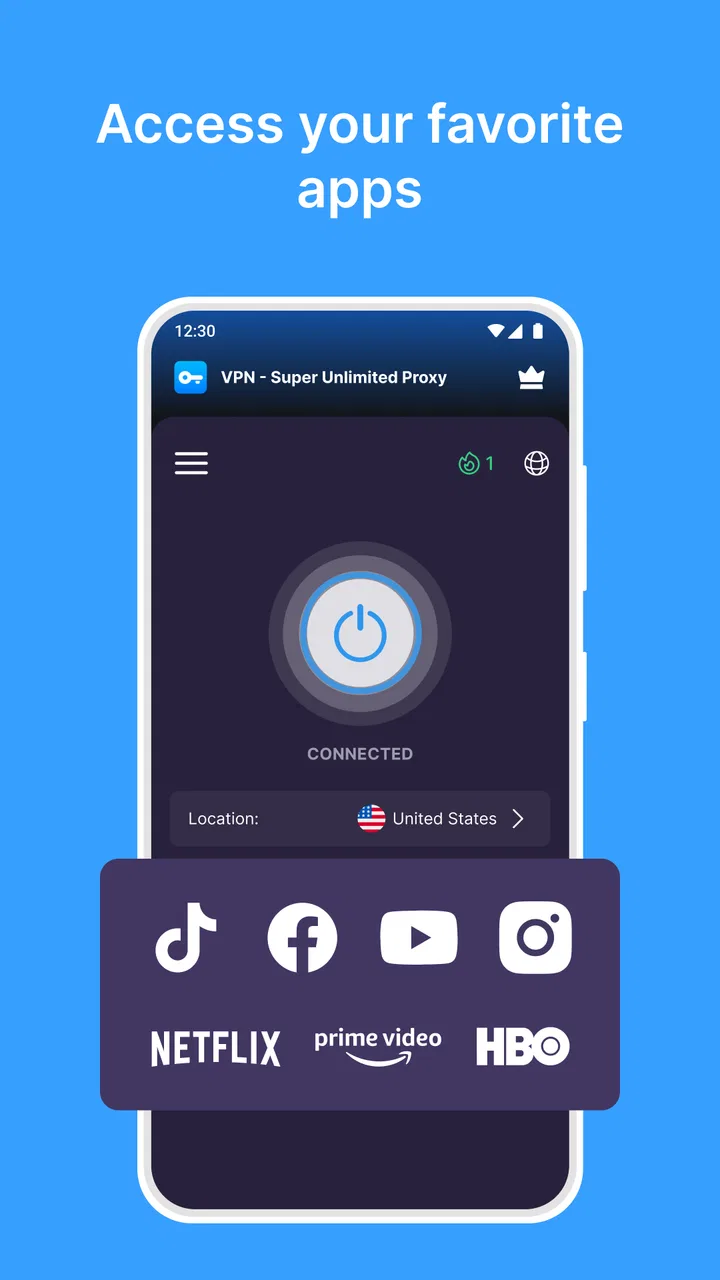
Streaming is another area where expectations should stay realistic. A VPN may change the route used by the connection, but that does not guarantee access to every catalog or service. Platforms can restrict VPN traffic, and the extra routing can affect playback. I would choose this app for privacy while browsing before choosing it specifically to bypass regional restrictions.
Small habits that make the app more useful
One useful habit is to decide when I actually need the VPN instead of leaving it active without thinking. If I am on a trusted home network and troubleshooting a slow connection, temporarily turning it off can help me identify whether the VPN is contributing to the problem. When I return to a public hotspot, I can enable it again before handling personal information.
I also avoid judging the app only by the first website I open. A slow page may be caused by the hotspot, the phone, the site itself, or the route beyond the VPN. I compare the experience with and without the connection during a low-risk task, then decide whether the privacy benefit is worth the change in responsiveness. That simple check is more useful than assuming every slowdown comes from one source.
Another practical tip is to keep sensitive actions separate from convenience browsing. I might use the VPN while reading or checking messages, but I still confirm the address of a payment page, avoid unknown downloads, and keep the operating system updated. The app can reduce exposure on a network; it cannot inspect every link or judge every file for me.
Finally, I would review the app’s current settings after an update rather than assuming the interface has stayed identical. Version 2.21.1 is the current version listed for this Android release, and app interfaces can change over time. Checking the connection state, purchase options, and any visible preferences takes only a moment and prevents me from operating on an outdated assumption.
The tradeoff between free access and control
The biggest compromise is that simplicity usually means fewer decisions for me, but also fewer ways to fine-tune the connection. Someone who wants to select a particular server, compare protocols, control split tunneling, or inspect detailed diagnostics should look toward a VPN built around advanced configuration. I would not install this app expecting it to replace a specialist tool for professional networking work.
There is also a trust decision with every VPN. The service becomes part of the path between my device and the internet, so I do not treat the word “secure” as a complete explanation. I read the app’s current privacy information and permissions before using it for important accounts, and I remember that encryption between my phone and the VPN endpoint is not the same as encryption everywhere. HTTPS, strong passwords, and two-factor authentication remain necessary.
Advertising or upgrade prompts can also affect how comfortable the free experience feels. I do not regard that as automatically disqualifying, but I pay attention to how often the app interrupts the task and whether an optional purchase is presented clearly. Since the app is free with in-app purchases, people who dislike promotional screens or want a fully predictable premium experience may be happier paying for a different service from the beginning.
Battery and performance are smaller but real considerations. Any connection utility that remains active can add another background task, and a VPN may affect battery life or responsiveness depending on the phone and network. I would not claim a fixed effect for every device. Instead, I watch my own usage over a normal day and disable the connection when I no longer need it, particularly on an older phone.
Who should choose it, and who should skip it
I think this app is a strong match for a first-time VPN user who wants a free starting point, unlimited data, and a low-effort way to protect ordinary traffic on public Wi-Fi. It is also suitable for people who move between networks often and do not want to manage a monthly allowance. The broad age rating and support for Android 8.0 or later make it accessible to many everyday Android users.
I would recommend looking elsewhere if the main goal is advanced privacy research, business-grade administration, a guaranteed low-latency route, or a carefully controlled location choice. It is also not the right answer for someone who believes a VPN alone will stop tracking, malware, phishing, or account theft. Those concerns require different tools and habits.
Compared with turning off Wi-Fi and using mobile data, the app offers a privacy layer while allowing me to keep using a convenient hotspot. Compared with a restricted free VPN, its unlimited approach is less frustrating for repeated use. Compared with a premium, technically focused VPN, it is likely to feel less configurable and less suited to users who want detailed control. That middle position explains both its popularity and its limitations.
After using it as an everyday utility, I see VPN - Super Unlimited Proxy as a practical choice rather than a magic shield. The feature that matters most is the ability to use a VPN connection without planning around a small data cap, especially when I am on public Wi-Fi. Its best value is convenience with a useful privacy layer, not total anonymity or guaranteed performance.
The app is free to try, widely used, and simple enough for a friend who has never configured a VPN before. I would install it for casual protection on unfamiliar networks, test how it affects my own connection, and keep my expectations grounded. If I needed more control or more predictable performance, I would move to a specialized alternative. For straightforward mobile privacy, though, this is a sensible starting point.
FAQs for VPN - Super Unlimited Proxy
01What platforms is VPN - Super Unlimited Proxy available on?
VPN - Super Unlimited Proxy is available for both Android and iOS devices. You can download it from the Google Play Store for Android devices and the Apple App Store for iOS devices. Ensure your device meets the necessary system requirements for a smooth installation and optimal performance.
02Is VPN - Super Unlimited Proxy free to use?
Yes, VPN - Super Unlimited Proxy is free to use. However, it offers in-app purchases and subscriptions that provide additional features and enhanced functionality. Users can choose to upgrade for a premium experience, which may include faster connection speeds and more server locations.
03How secure is my data with VPN - Super Unlimited Proxy?
VPN - Super Unlimited Proxy uses advanced encryption protocols to ensure your data is secure and private while you browse the internet. It masks your IP address and protects your online activities from hackers and trackers. Always verify the app’s privacy policy for detailed information on data handling.
04Can I access geo-restricted content with VPN - Super Unlimited Proxy?
Yes, one of the primary features of VPN - Super Unlimited Proxy is the ability to bypass geo-restrictions. By connecting to servers in different countries, users can access content that may be unavailable in their region, such as streaming services, websites, and apps.
05Does VPN - Super Unlimited Proxy affect internet speed?
Using a VPN can sometimes affect your internet speed due to encryption and server distance. However, VPN - Super Unlimited Proxy is designed to minimize these disruptions. Premium users may experience better speeds due to access to faster servers. It's advisable to test different server locations to find the best performance.
Pros
- Fast connection speeds for seamless browsing.
- Unlimited data with no bandwidth restrictions.
- User-friendly interface for easy navigation.
- Broad server network for global access.
- No registration required for quick setup.
Cons
- Ads can be frequent and intrusive.
- Limited features in the free version.
- Connection drops occasionally under heavy load.
- No dedicated IP options available.
- Customer support is only via email.

VPN - Super Unlimited Proxy
Gallery